Password Padlock
Smart access, made personal.
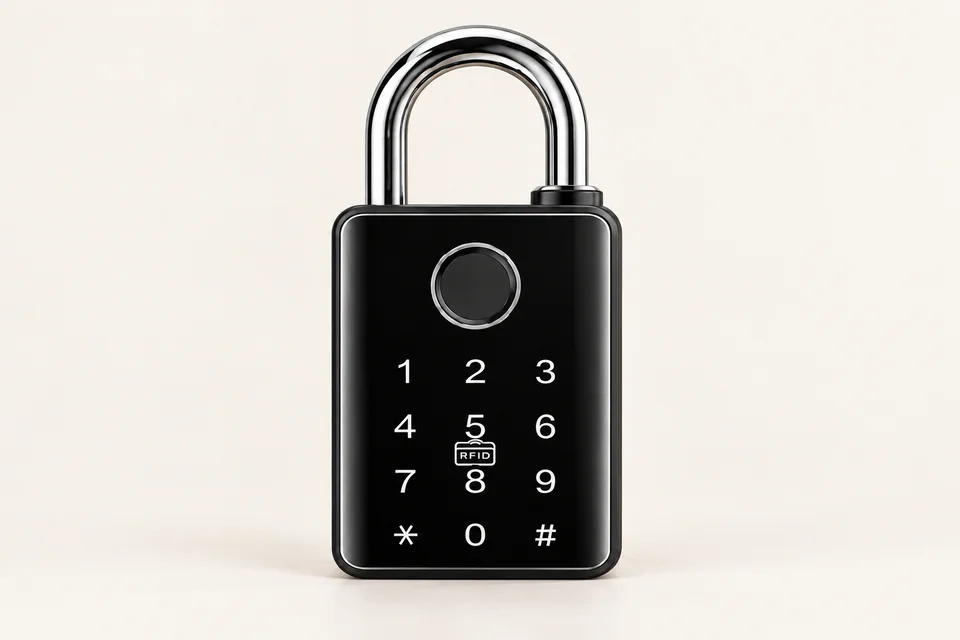
Password access and USB charging for convenient everyday locking.
Price on enquiry
Enquire on WhatsAppView original catalogue page 2Access that suits
your space.
Catalogue-listed features
Password access and USB charging for convenient everyday locking.
Before ordering
Check shackle clearance, the locking point and your intended use. Confirm weather exposure limits, charging and backup access for this model.
Features are taken from the supplied Yantra Care Smart Lock Catalogue. App services and accessories may vary by configuration; confirm the exact variant.
A closer look
at smart access.
Select “Inside view” above for this model’s conceptual exploded illustration.
Present your credential
Use one of the access methods listed for this model, such as a PIN, enrolled fingerprint, card or supported app.
Check access
The controller checks the credential against configured permissions.
Release the mechanism
The powered mechanism enables opening after accepted access. Physical operation varies by model.
Keep backup access ready
Follow the supplied instructions for battery care and the model-specific emergency access method.
Know before
you install.
All smart lock FAQsWhich smart door lock should I choose for my home?
Compare your door material, thickness, existing lock cut-outs, access methods, power supply and installation needs. Yantra's catalogue includes Z-17, Z-15, C-31, J-03, R10, S90, S7 and 8802 door locks, alongside a main gate lock, padlocks and Hotel Lock 2411.
How does a fingerprint smart lock work?
A fingerprint sensor captures a finger pattern and the lock's electronics check it against enrolled users before operating the locking mechanism. Z-17 and Z-15 list fingerprint, app, password, card and key access. Sensor performance depends on finger condition, enrolment and model.
What is the difference between a PIN lock, RFID card lock and biometric lock?
A PIN lock checks a numeric password; an RFID card lock reads a compatible card; biometric access checks a characteristic such as a fingerprint or face. Available methods vary by Yantra model. Hotel Lock 2411 lists RF key cards, a master card and an emergency mechanical key.
Which Yantra locks support face recognition or palm-vein recognition?
The supplied catalogue lists face access for R10, S90, S7 and 8802. S90 also lists palm-vein recognition. S7 lists 3D structured-light face recognition. Confirm the exact model and enabled features before ordering.
Do smart locks need Wi-Fi or Bluetooth?
Connectivity varies by model. C-31's catalogue lists Wi-Fi and Bluetooth; the fingerprint padlock lists Bluetooth and app access. Remote unlocking may have additional network or gateway requirements. Confirm these requirements for your selected lock instead of assuming all app features work offline.